
HideMyFiles - Hide & Protect - Google Play
You'll be able to see results in few seconds.
Publisher Description
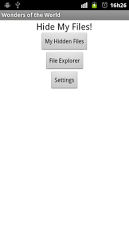
Let's start with a fair enough question: Whether it's photos, videos, or other sensitive files, we all have items on our cellphones or tablets that we'd rather others didn't interfere with. How can we hide these files without being suspicious?TAGS: Hide Files, Secure Files, Protect FilesThe answer is: With HideMyFiles!With this software you can hide your files easily and without any suspicion. When you install HideMyFiles, the icon on android will be show as Wonders of the World. When you open "Wonders of the World" (HideMyFiles), what you will see is pictures of 21 wonders of the world. It's like a simple slideshow software.But when you enter the correct secrect code, a new screen are show to you, where you can manage and hide your files, securely and secretely.The software will rename and encrypt your file. Without entering in the hidden menu, is almost impossible to recover the file. This can keep the files that you choose safe from anyone that get your cell phone.Ps.: Never delete the WondersOfTheWorld folder on SDCARD. If you delete this folder you will loose your files.Watch the video showning how this software works at http://www.youtube.com/watch?v=ldcQju4xjDg&feature=player_embedded.-----------------------------------------------------------Features-----------------------------------------------------------Free version:- Hide unlimmited files;- Change secret sequence;- Enhanced security mode;- The default sequence is: Chichen Itza, Christ the Redeemer, Colosseum.-----------------------------------------------------------Instructions:-----------------------------------------------------------Entering in the safe area:Every image displayed act as an "Password Digit"To enter a digit, do a long-press on screen (keep the screen pressed until the phone vibrate or until you hear a "bing" sound).If you enter the correct sequence, you will see an hidden menu, where you can hide your files.-----------------------------------------------------------To enter in program for the first time you need:Scroll to Chichen Itza image;Do a long press over the image;Scroll to Christ the Redeemer;Do a long press over the image;Scroll to Colosseum image;Do a long press over the image;If you made some mistake (click on incorrect image), you can reset the sequence scrolling to the Timbuktu, and doing a long press. Then you can re-enter the correct sequence.-----------------------------------------------------------Hiding your files:Select File Explorer;Browse the file you want to hide;Click on the file;Select the option "Hide File".-----------------------------------------------------------Opening your hidden files:Select My hidden files;Click over the file;Select the option "Open File";-----------------------------------------------------------Restoring your hidden files:Select My hidden files;Click over the file;Select the option "Restore File";The file will be placed on his original path.
About HideMyFiles - Hide & Protect
The company that develops HideMyFiles - Hide & Protect is Rafael Bassan. The latest version released by its developer is 1.0 .
To install HideMyFiles - Hide & Protect on your Android device, just click the green Continue To App button above to start the installation process. The app is listed on our website since 2012-01-18 and was downloaded 0 times. We have already checked if the download link is safe, however for your own protection we recommend that you scan the downloaded app with your antivirus. Your antivirus may detect the HideMyFiles - Hide & Protect as malware as malware if the download link to inutilsoft.HideMyFilesFree is broken.
How to install HideMyFiles - Hide & Protect on your Android device:
- Click on the Continue To App button on our website. This will redirect you to Google Play.
- Once the HideMyFiles - Hide & Protect is shown in the Google Play listing of your Android device, you can start its download and installation. Tap on the Install button located below the search bar and to the right of the app icon.
- A pop-up window with the permissions required by HideMyFiles - Hide & Protect will be shown. Click on Accept to continue the process.
- HideMyFiles - Hide & Protect will be downloaded onto your device, displaying a progress. Once the download completes, the installation will start and you'll get a notification after the installation is finished.
Program Details
System requirements
Download information
Pricing
Version History
version Varies with device
posted on 2012-01-18
Several fixes and updates
version Varies with device
posted on 2012-01-18
Disclaimer
Official Google Play Link
We do not host HideMyFiles - Hide & Protect on our servers. We did not scan it for viruses, adware, spyware or other type of malware. This app is hosted by Google and passed their terms and conditions to be listed there. We recommend caution when installing it.
The Google Play link for HideMyFiles - Hide & Protect is provided to you by apps112.com without any warranties, representations or guarantees of any kind, so access it at your own risk.
If you have questions regarding this particular app contact the publisher directly. For questions about the functionalities of apps112.com contact us.
